The PlayStation 5 is an impressive console, but the right accessories can elevate your gaming experience from great to truly exceptional. However, not every add-on is worth your money. This guide breaks down which PS5 accessories deliver real value and which ones you can skip.
- Controllers: Performance vs. Value
- DualSense Edge Wireless Controller – Worth It (for Competitive Players)
- Access Controller – Worth It (for Accessibility)
- Storage Expansion: A Near-Mandatory Upgrade
- Headsets: Immersion and Communication
- SteelSeries Arctis Nova Pro Wireless – The Premium Choice
- Sony Pulse Elite Wireless Headset – The Affordable Alternative
- The Rise of the PlayStation Portal
- Honorable Mentions
- Final Verdict
Controllers: Performance vs. Value
DualSense Edge Wireless Controller – Worth It (for Competitive Players)
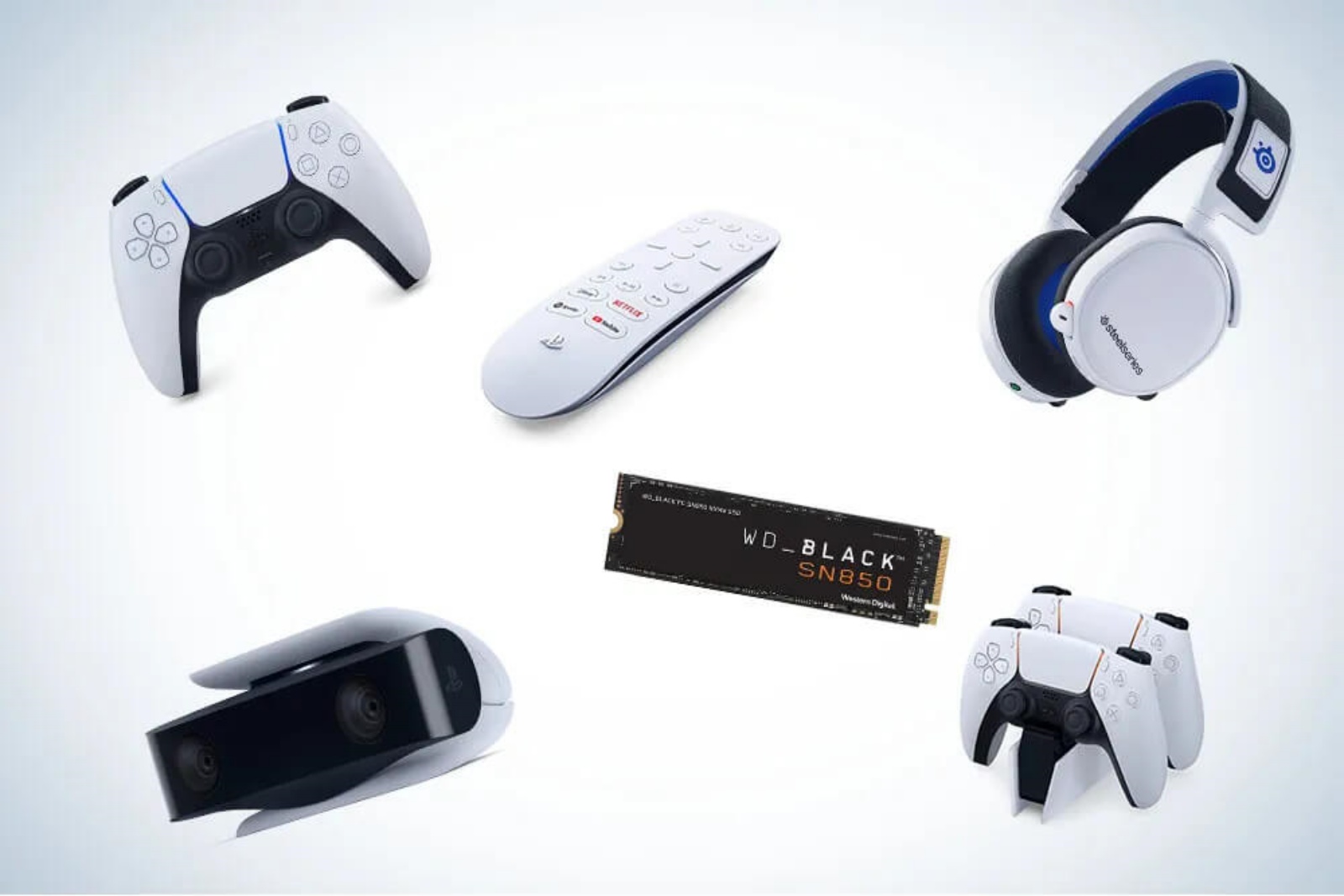
The PlayStation DualSense Edge is Sony’s premium pro controller, and it’s a game-changer for serious gamers. It features interchangeable stick caps, mappable back buttons, and adjustable trigger lengths, allowing you to customize your setup for different game genres. For example, you can shorten trigger travel for faster responses in shooters or lengthen it for smoother control in racing games.
The controller also allows you to create up to four custom profiles with personalized button mapping and stick sensitivity, and you can swap between them on the fly without leaving your game. However, there is a significant trade-off: the Edge averages only about eight hours of battery life, noticeably worse than the standard DualSense. At around $200, it’s expensive, but for players who want a competitive edge, the customization makes it a worthy investment.
Access Controller – Worth It (for Accessibility)
For gamers with disabilities, the PlayStation Access Controller is an essential, highly customizable kit designed to make gaming more comfortable and accessible.
Verdict: Buy the DualSense Edge if you’re competitive and value customization. Skip it if battery life is your priority. Consider the Access Controller if you need accessibility features.
Storage Expansion: A Near-Mandatory Upgrade
Corsair MP600 Pro LPX SSD – Absolutely Worth It
The PS5’s built-in storage is simply not enough. With only about 700GB of usable space, a few blockbuster titles can fill it up quickly. The PS5 includes an M.2 expansion slot, and the Corsair MP600 Pro LPX is widely considered the best SSD for the job.
It offers blazing read speeds of up to 7,100MB/s, far exceeding Sony’s requirements, which translates to less time staring at loading screens. Crucially, it comes with a pre-installed heatsink to prevent thermal throttling, and its dimensions are perfect for the PS5’s tight compartment. At around $100 for 1TB, it provides excellent value and longevity, with a durability rating that will easily outlast your console.
Verdict: Buy. This is one of the most practical and impactful upgrades you can make for your PS5.
Headsets: Immersion and Communication
SteelSeries Arctis Nova Pro Wireless – The Premium Choice
Rarely does a product earn a perfect 10 from reviewers, but the SteelSeries Arctis Nova Pro Wireless did just that. It delivers exceptional sound quality with booming, finely-tuned audio and full support for the PS5’s Tempest 3D Audio, giving you a serious competitive edge with pinpoint positional accuracy.
The headset features a hot-swappable battery system, so you never have to pause your game to recharge, with each battery offering 18–22 hours of life. It also includes hybrid active noise cancellation, though it’s not quite on par with the best ANC headphones. At a premium price point, it’s an investment, but it’s arguably the best wireless headset for PS5.
Sony Pulse Elite Wireless Headset – The Affordable Alternative
For a more budget-friendly option, the official Sony Pulse Elite is a solid choice. It offers great sound, a long battery life (some users report weeks without charging), and supports PlayStation Link. It also features a retractable mic and can connect via Bluetooth.
However, user reviews point to some compromises. The build quality feels somewhat cheap, the bass can distort at high volumes, and there are complaints about the USB dongle causing random disconnects. Additionally, the adjustable head strap may not fit all head sizes comfortably.
Verdict: Buy the SteelSeries Arctis Nova Pro Wireless if you want the best audio and can afford it. Choose the Pulse Elite if you’re on a budget and want an official Sony product, but be aware of its shortcomings.
The Rise of the PlayStation Portal
PlayStation Portal – Worth It for Cloud Streaming
The PlayStation Portal was initially a confusing product, but it has evolved into something genuinely useful. While it started as a device for Remote Play (streaming from your own PS5), a major software update in 2025 added the ability to stream games directly from the cloud via a PlayStation Plus Premium subscription.
This is a game-changer. The Portal now offers a low-cost way to play PS5 games without owning the console, which is particularly appealing given recent console price increases. At $249.99, paired with a PlayStation Plus Premium subscription, it can save you hundreds compared to buying a PS5.
However, there are caveats. The Portal requires a stable, high-speed internet connection and performs poorly in places with bad Wi-Fi or no cellular reception. It also lacks Bluetooth, so you’ll need Sony’s Pulse Explore earbuds or Pulse Elite headset for wireless audio. Remote Play functionality can also be hit-or-miss depending on your home network setup.
Verdict: Buy if you want an affordable way to play PS5 games via cloud streaming and have a good internet connection. Consider it carefully if you primarily want a Remote Play device, as performance varies.
Honorable Mentions
- PowerA Twin Charging Station: An affordable and convenient way to charge two DualSense controllers at once, with clear LED indicators to show charging status.
- PS VR2: The best way to experience virtual reality on PS5, offering 4K HDR visuals, intuitive controls, and support for PC compatibility. It’s expensive, but the immersion is unmatched.
Final Verdict
Here’s a quick summary to help you decide:
| Accessory | Verdict | Why |
|---|---|---|
| DualSense Edge Controller | Worth It (for competitive players) | Unmatched customization but poor battery life. |
| Corsair MP600 Pro LPX SSD | Strongly Recommended | Essential for expanding storage and reducing load times. |
| SteelSeries Arctis Nova Pro Wireless | Worth It (premium pick) | Best audio quality and hot-swappable batteries. |
| Sony Pulse Elite | Worth It (budget pick) | Good sound and features, but build quality and connectivity can be issues. |
| PlayStation Portal | Worth It (for cloud streaming) | Great for PS Plus subscribers; less reliable for Remote Play. |
| PowerA Twin Charging Station | Worth It | Affordable and convenient. |
Ultimately, the best accessories for you depend on your gaming habits and budget. Prioritize storage expansion and a comfortable headset, then consider a premium controller or the Portal based on your needs.